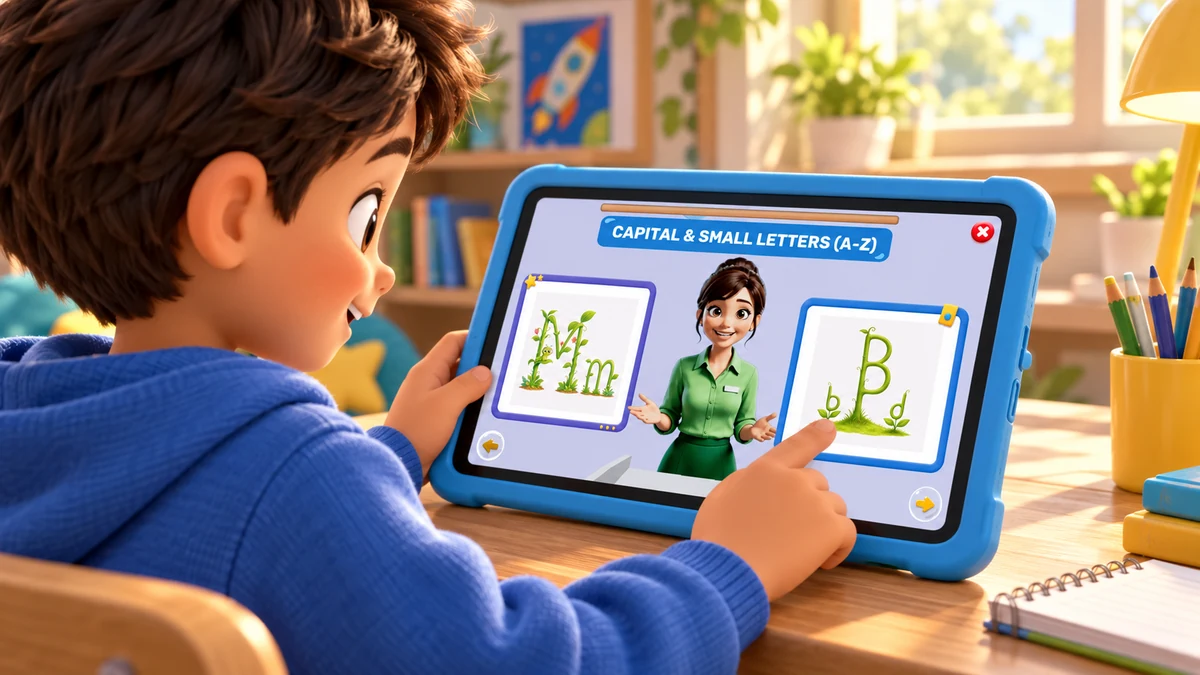
Children learn together with offline tablets in a bright community learning pavilion

TurboKids Impact

A complete digital school that needs no internet.

TurboKids Impact is a programme model for CSR partners considering offline learning tablets or shared digital libraries where connectivity, teachers or classrooms are limited.

Room to growKeep exploring

A programme is more than a device

Start with access. Stay for the learning.

The setting, the people and the review plan belong in the same conversation from the beginning.

01 / The programme journey

Understand the place.

Start with the children, grades, languages, power and adults available at the learning site.

02 / The programme journey

Support the routine.

Name the local partner, agree access and make a practical plan for use after installation.

03 / The programme journey

Look beyond the handover.

Define a baseline, review regular use and agree how learning evidence will be collected.

A device handover is not a learning programme

Hardware alone does not make a programme useful. A CSR partner needs a clear model for loading content, introducing learners, supporting the site and deciding what will be measured over time.

TurboKids Impact starts with the setting: whether a child uses an individual tablet or a school or community setting operates a shared learning library.

Read more about A device handover is not a learning programme

The programme brief begins with the children and the place the partner intends to support. It records the learning setting, age and grade range, languages, school or community timetable, power conditions, connectivity and the adults available locally. That picture helps the partners choose a model that can be operated after installation day.

A funder should be able to see the chain from resource to learning activity. The scope should state what is being provided, who prepares it, how children gain access, who supports regular use and which records will show whether the plan is working. A photograph of a handover cannot answer those operating questions.

Two deployment models and the work around them

The programme is designed around an offline delivery model. The feature set, device configuration and sync process are set out for each deployment.

Offline requirements should be written as testable conditions for the chosen site. The deployment plan needs to state what is available without a connection, when a connection is needed, who performs any periodic sync and what happens when that schedule is missed. The answers are confirmed for the programme rather than assumed from a general description.

Learning tablets

Individual devices configured around the deployment’s learning and support requirements.

Digital learning libraries

A shared set of tablets in a school or community setting with learner identity and facilitation planned for the site.

Implementation partner

Local deployment and community work are defined with the relevant delivery partner.

Reporting

Usage and learning measures are agreed before reporting begins.

Practical setup

Hardware, loading, maintenance, training and power conditions are assigned to named roles.

How a programme runs

The programme plan should make practical ownership visible. It identifies who prepares the hardware, who introduces learners, who supports facilitators and what happens when a device needs attention. That clarity gives a partner a more useful picture than a handover date alone.

Before installation, the CSR partner and delivery team should also agree how learning activity will be reviewed and when an evidence report is useful to the people responsible for the programme.

Read more about How a programme runs

A library model also needs a routine for shared use. The local team can decide when children use the space, how identities are managed and how facilitators help a child return to a lesson. These decisions make the programme usable after the first day.

Step 1 of 6

Scope with the CSR partner

Begin with the children, the setting and the learning need the programme intends to support.

Step 2 of 6

Agree hardware and roles

Define device arrangements, maintenance and delivery responsibilities before hardware is ordered.

Step 3 of 6

Set a baseline

Agree what will be measured and when, so later reporting has a clear starting point.

Step 4 of 6

Install and train

Prepare the setting and the people who will support the everyday learning routine.

Step 5 of 6

Monitor use

Check that devices are available, learning can happen and facilitators have the support they need.

Step 6 of 6

Evaluate and report

Keep the definition, reporting period and source beside each finding. Review what the programme can support next.

Research & impact

Programme evidence should distinguish deployment, usage, learning outcomes and verification.

The evidence plan should be agreed before devices are distributed. Start with the partner’s decision: whether to continue, adjust or expand the programme. Then choose measures that can inform that decision and can be collected responsibly in the setting. The plan should name the reporting period, responsible party and review date.

Read more about Research & impact

A baseline, midline or endline has meaning only when the subject, method, learners included and programme duration are stated. Usage records answer a different question from an assessment. When both are available, they can be read together without treating time spent as proof of learning. Independent verification should name the evaluator and relationship to the programme.

Fit and requirements

Power, safe storage and device charging shape the weekly routine. In a shared library, the team should decide how devices are issued and returned, how learner identities are handled and how children resume their work. For individual tablets, the support route and responsibility for a damaged or unavailable device should be clear to families and local staff.

The programme scope should assign hardware preparation, content loading, installation, facilitator training, maintenance and periodic review to named roles. It should also state the language and learning setting, the hours children can use the programme and the route for resolving a device or access problem.

Read more about Fit and requirements

Deployment means completed installations with the required trained teacher or facilitator. Usage means learning time, active learners and utilisation during a stated period. Learning outcomes require baseline, midline or endline methods, a sample size and duration. Verification identifies the evaluator and method.

CSR programmes

No published CSR programmes yet.

A programme discussion can begin with the children and setting a partner hopes to support, then work through the device model, delivery responsibilities and evidence plan needed for that particular place.

Read more about CSR programmes

Before a programme is published, the partner, implementation team and reporting owner should agree which names, locations and measures may be shared. Each number needs a definition and date. Programme status should describe the actual stage of work, so a discussion, an underway deployment and a completed installation are not presented as the same thing.

A partner review asks whether sites are operating, children can access the learning routine and facilitators have support before more devices are added.

Questions for a programme discussion

Does it work without internet?

The programme is scoped around offline delivery. The exact feature and sync boundary is confirmed for each deployment.

How is impact measured?

The agreed approach can include deployment, usage, learning outcomes and verification, each with a definition and reporting period.

Who procures and maintains tablets?

Those roles are agreed during programme scoping and are not assumed by this page.

What should be decided before hardware is ordered?

Agree the site model, learner access, language, power and connectivity conditions, local roles, maintenance route, training plan and the evidence the partner expects to review.

How should a shared library be planned?

Define the timetable, learner identity process, device issue and return routine, charging and storage, facilitator role, support contact and the way each child resumes learning.

Illustrated TurboKids island with a sunlit beach, cable cars and a blue lagoon

A little curiosity opens a whole world.

Every conversation has a starting point

What brings
you here?

Choose the conversation you need, then add the details that will help explain your question.

Your draft stays on this device until you choose to email it to contactus@kitmek.com.

Your enquiry

Start with the details.

Tell us what you would like to understand and the best way to help.

Please leave out children’s names and other private details.

0 / 5,000

Nothing has been sent to Kitmek.

Start an email

Copy or download the prepared draft, then include it in your email to contactus@kitmek.com.

One tap from their next discovery

Don’t miss out.
Download now.

Open a complete digital school with avatar teachers, active lessons, guided movement and a whole island earned through learning.

Download TurboKids